case_study/xporter_camera.kt

Xporter Camera

An Android app that copies photos from a Fujifilm camera to the phone over USB or Wi-Fi, keeps each photo's film simulation recipe, and makes it easy to share. I wrote the camera protocols myself, in Kotlin.

Role
Solo: research, architecture, and development
Timeline
Sep 2026 — present
Status
Testing with users via Firebase App Distribution
Stack
Kotlin · Compose · Hilt · Room · PTP/IP
20.6 MB/sUSB transfer, measured
16Gradle modules
32unit test files
38pull requests, each through CI
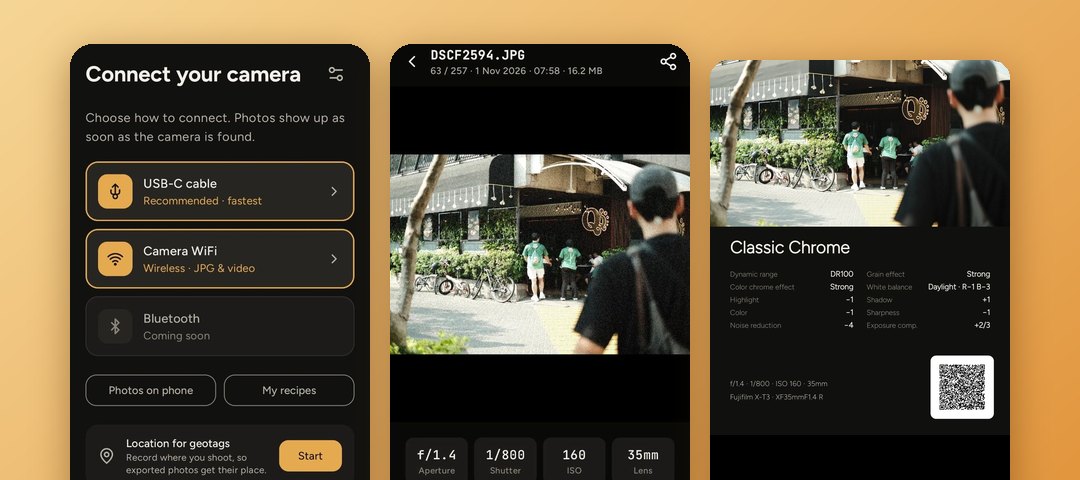
Xporter Camera: the connect screen, a photo's detail, and a shared film recipe card
01_problem.kt

The problem

Getting photos off a Fujifilm camera and onto a phone usually means a card reader or the camera's Wi-Fi link. Wi-Fi is convenient but slow, and it only moves JPEG and video, not RAW. The film simulation recipe that gives a Fujifilm photo its look is buried in the file's metadata.

I wanted one app that:

  • Copies fast over a USB cable, including RAW, and still works over Wi-Fi when there's no cable.
  • Offers new photos automatically as soon as the camera connects.
  • Reads the recipe from each photo and makes it easy to save and share.
  • Can never damage the card or change a camera setting.
02_solution.kt

How it works

One flow, whether the camera is plugged in or on Wi-Fi. The app is available in English and Indonesian.

  1. USB or Wi-Fi

    Connect

    Plug in a cable, or join the camera's Wi-Fi from inside the app. The app shows the model, firmware, and card space.

  2. Gallery

    Browse

    Photos grouped by day, newest first. Filter by rating, film simulation, date, folder, or card slot, and open RAW and JPG pairs.

  3. Export

    Copy to the phone

    Pick the size, name files from a template, export new photos automatically, and add GPS from the phone's location.

  4. Share

    Share the recipe

    Save recipes to a collection, then share them as text, a QR code, a story card, a polaroid, or an exposure frame.

03_a_closer_look.kt

A closer look

Scroll through one photo's trip, from the camera to a shareable card.

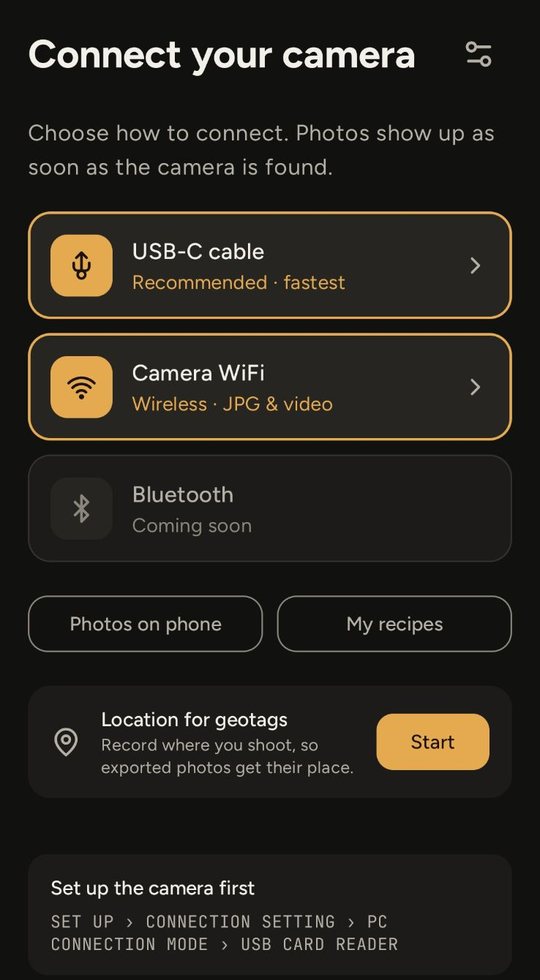
  1. Connect screen with USB-C cable, camera Wi-Fi, and Bluetooth options

    01 · Connect

    Plug in, or go wireless

    USB-C is the recommended and fastest link. Wi-Fi joins the camera's own network from inside the app. Either way, photos show up as soon as the camera is found.

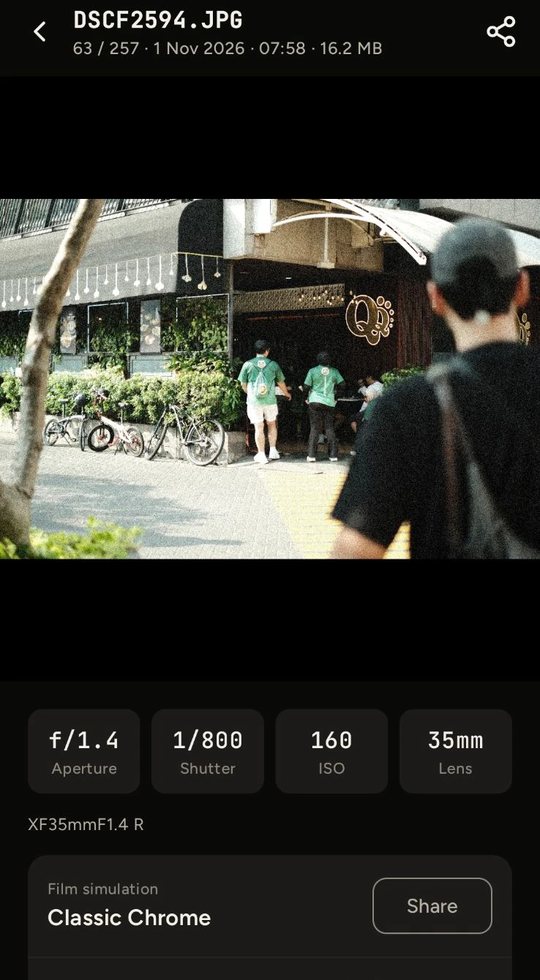
  2. Photo detail with aperture, shutter, ISO, lens, and the Classic Chrome film simulation

    02 · Read

    Every photo, with its recipe

    Aperture, shutter, ISO, and lens come from EXIF. The film simulation and all ten recipe settings come from Fujifilm's MakerNote, one tap away.

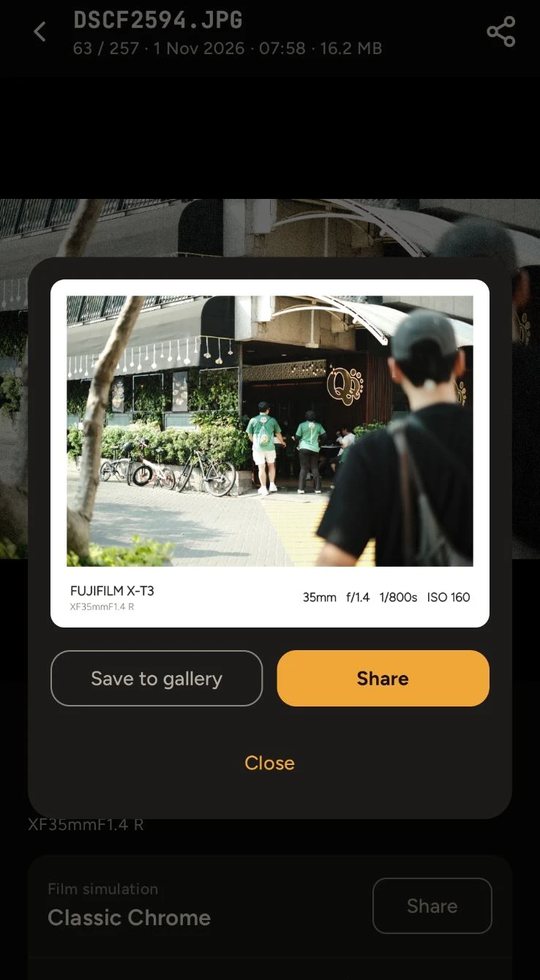
  3. Share sheet with an exposure frame showing camera, lens, and settings

    03 · Share

    Exposure info, framed

    A clean frame with the camera, lens, and settings under the photo, ready for a feed post. Save it to the gallery or share it straight away.

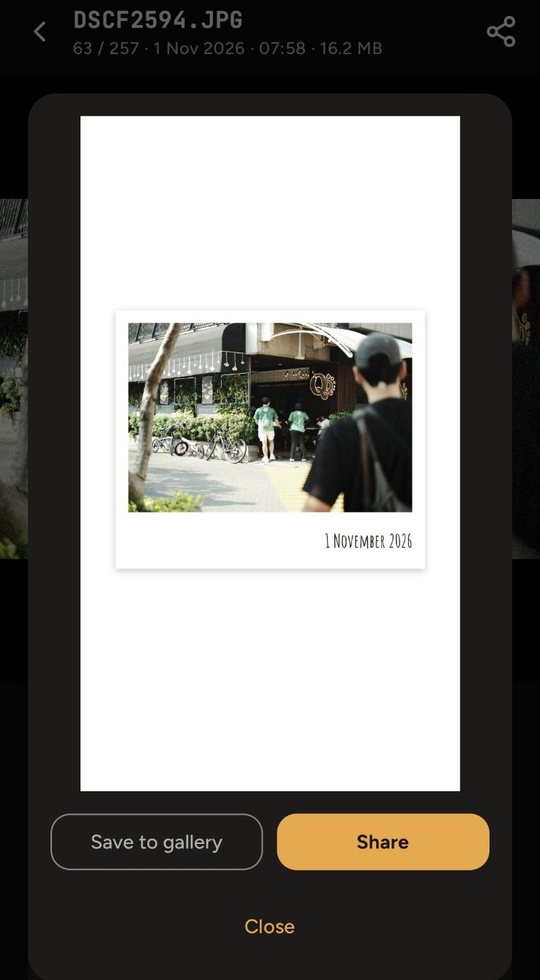
  4. Share sheet with the photo drawn as a polaroid print for a story

    04 · Share

    Or a polaroid for stories

    The same photo drawn as a plain print with its date, sized for stories.

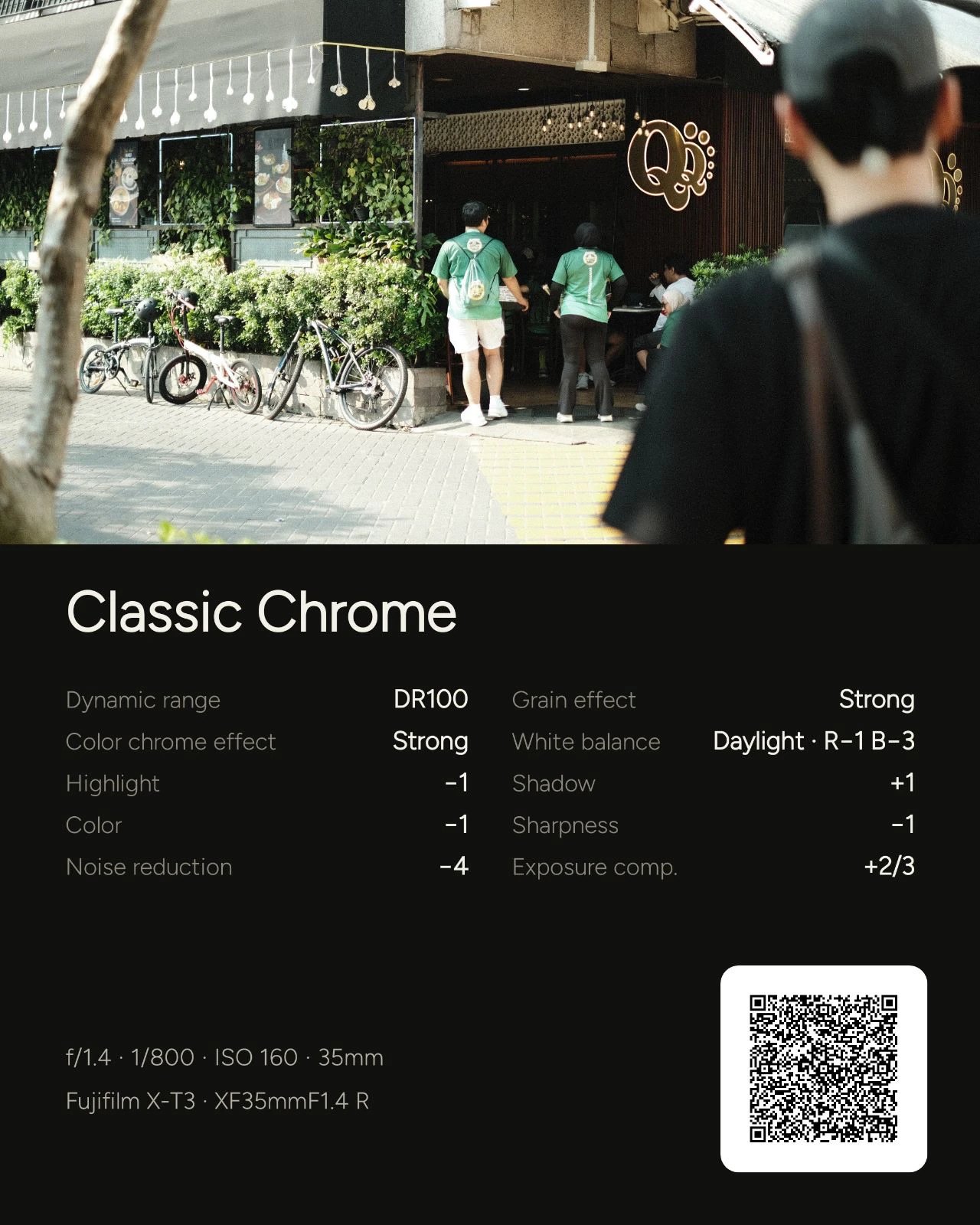
Recipe card: the photo above the Classic Chrome recipe settings, exposure info, and a QR code

Recipe card

The photo and its recipe, in one image

The app reads the film simulation and all ten recipe settings from Fujifilm's MakerNote, then draws them under the photo with the exposure and lens. The QR code holds the recipe as text, so another photographer can scan it into their own collection.

04_research.kt

Research before code

Fujifilm doesn't publish how its cameras talk over Wi-Fi. Before building that part, I wrote a research note on the protocol from open-source references, then ran a time-boxed spike on a real X-T3 with a clear go or no-go question. The camera speaks a Fujifilm flavour of PTP/IP: a PTP/IP handshake, then USB-style PTP containers sent over TCP. That meant the PTP session I had already built for USB could be reused, with only a new transport and handshake on top.

The spike measured what each link can actually do:

Full-size download speed · MB/s
USB
20.6
Wi-Fi
0.71

≈29× faster over USB. A full-size 17.5 MB JPEG takes under a second by cable and about 25 seconds over Wi-Fi.

Measured on an X-T3USBWi-Fi
Full-size download20.6 MB/s0.71 MB/s
Reading one photo's info~25 ms0.6–0.9 s
RAW filesYesNo (camera limit)

Those numbers shaped the design: the Wi-Fi gallery reads photo details lazily instead of up front, and the app estimates how long a Wi-Fi export will take before it starts.

05_architecture.kt

Architecture

Multi-module Clean Architecture. Shared build setup lives in convention plugins under build-logic.

06_decisions.kt

Key decisions

01

Read-only by design, enforced in one place

Every PTP operation must be on a READ_ONLY allowlist, and the check runs inside PtpSession, so no code path can skip it. Wi-Fi browsing needs a few session properties written. Those writes go through a separate allowlist of 8 properties that never touch the card or a shooting setting. Every write is logged, and the original values are restored when the session closes.

02

One repository for USB and Wi-Fi

USB and Wi-Fi share the same PtpSession and sit behind the same repository, so the gallery, filters, and export screens never know which link is in use. Ratings and image caches are keyed by the photo's identity rather than the camera's handle, and a file is matched across both links.

03

Geotag while downloading, never break a file

The camera has no GPS, so the app records the phone's location and matches it to each photo's shot time. A streaming GpsTaggingSink holds back only the start of the file until the EXIF header is complete, adds the GPS tags, and passes the rest straight through. If anything looks unexpected, the file is left as it came: a photo without a location beats a broken one.

04

Exports that survive a dropped connection

Exports run in a foreground service, and Wi-Fi copies each file 1 MB at a time. The offset is kept outside the camera session, so when the link drops mid-file, the next attempt on a reopened session carries on from the last chunk instead of starting over.

07_process.kt

How I worked

It's a solo project, but I ran it like a team project:

  • Tickets and research notes. Work is split into XPORT tickets, and risky ones start with a written note or a spike before any feature code.
  • Feature branches and pull requests, grouped into epics: 38 pull requests so far.
  • CI on every pull request with GitHub Actions: Spotless and ktlint formatting, Android lint, unit tests, and a debug build.
  • Tests where the logic is. PTP containers and sessions, the PTP/IP transport, EXIF and GPS splicing, filters, and ViewModels are covered with JUnit, coroutines-test, and Turbine.
  • Release tooling. Firebase Crashlytics for crash reports and App Distribution to get builds to testers.
08_limits.kt

Known limits

  • Tested on one camera. Everything is verified on an X-T3. Other Fujifilm bodies share the protocol family but may need their own checks.
  • RAW needs the cable. The camera only offers JPEG and video over Wi-Fi.
  • Wi-Fi speed is set by the camera. The bottleneck is the camera's 2.4 GHz link, not the app.

> cd ../projects

Want to see more?